
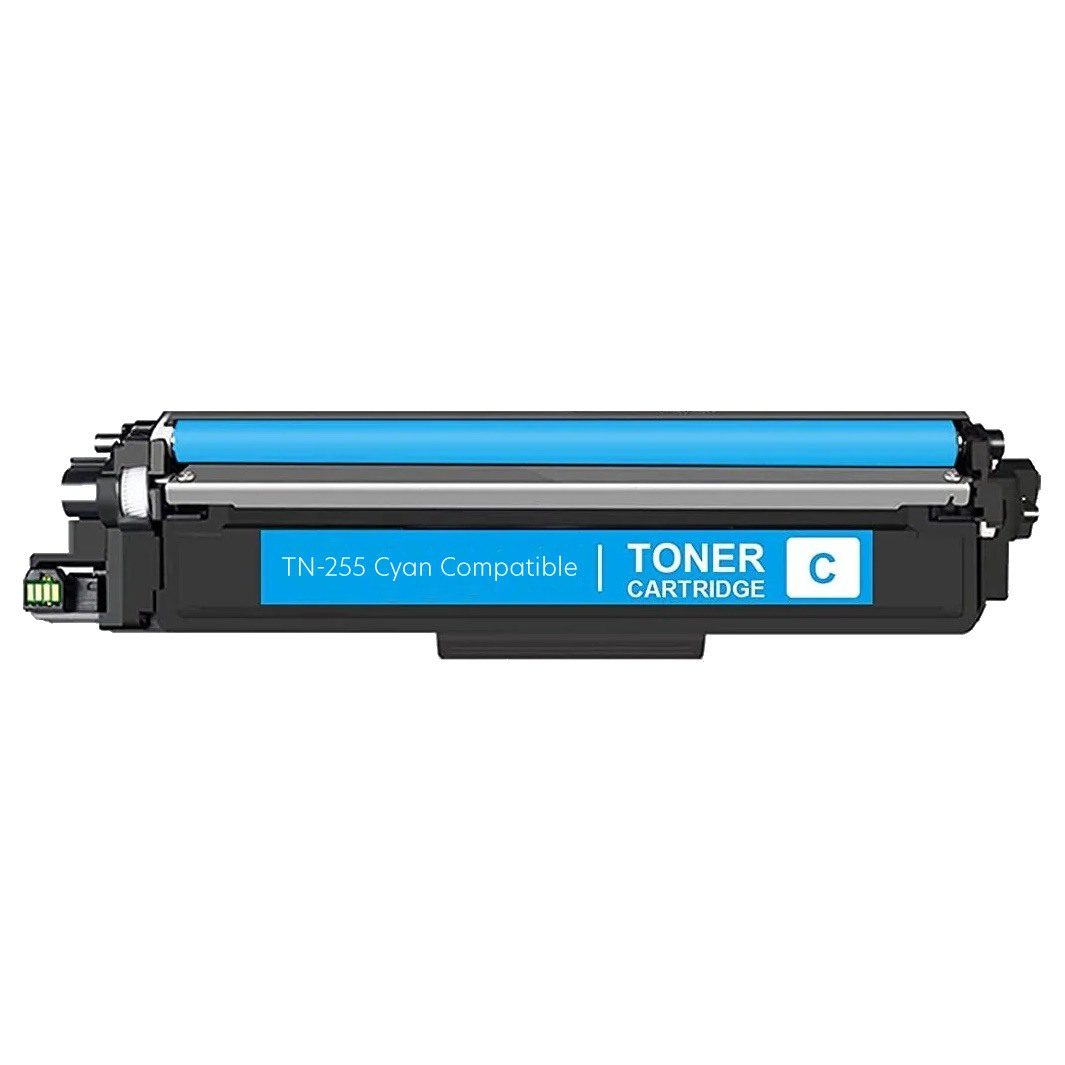
Zesty Brother TN251 TN255 Compatible Cyan Toner | 2200 Pages
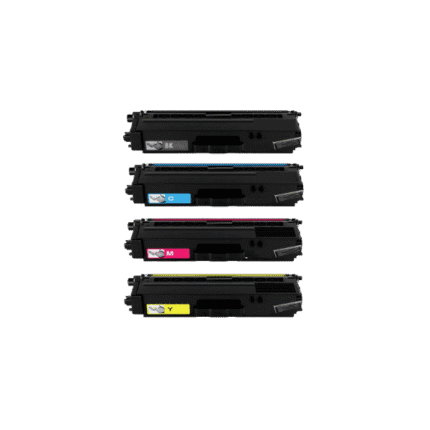
The Brother TN251 TN255 compatible cyan toner is a Premium Compatible replacement for supported Brother colour laser printers. This cyan cartridge has a listed yield of 2,200 pages and is intended for customers who need a clearly identified replacement for the cyan toner position. Cyan works with magenta, yellow and black to create balanced colour output for reports, presentations, charts, graphics and everyday documents. Always compare your exact printer model and cartridge reference before ordering.
Key Features
- Premium Compatible Brother TN251/TN255 cyan toner
- Listed cyan yield: 2,200 pages
- Single-colour replacement cartridge
- Designed for supported Brother colour laser printers
- Useful for home, office, school and business printing
- Clear cartridge-family identification
- Third-party compatible replacement, not genuine Brother toner
- New Zealand ordering through Inkrefill
Full Compatible Printer Model List
- Brother DCP-9015CDW
- Brother DCP-9016CN
- Brother HL-3150CDN
- Brother HL-3170CDW
- Brother MFC-9140CDN
- Brother MFC-9330CDW
- Brother MFC-9335CDW
- Brother MFC-9340CDW
These are the verified models associated with this product. Match the complete model designation before ordering because similar Brother model numbers should not automatically be treated as compatible.
Why Cyan Toner Matters
Cyan is a core colour in a four-colour laser system. It contributes strongly to blues and greens and combines with magenta and yellow to create many mixed shades. A correct TN251 TN255 cyan toner cartridge is important when the cyan supply is depleted while the remaining toner colours are still usable.
Replacing the depleted cyan cartridge individually can be practical for users who monitor toner levels separately. Cyan contributes to business graphics, charts, presentations, photographs, school resources and branded documents. Final colour output depends on the printer, paper, settings, calibration and the condition of the other toner cartridges.
2,200-Page Yield Reference
The listed cyan yield is 2,200 pages. This figure is a reference for planning and comparison, not a guarantee that every customer will obtain exactly the same page count. Actual toner consumption varies with page coverage, document density, graphics, photographs, printer settings, paper and maintenance. Heavy colour coverage normally consumes more toner than lightly printed pages.
Regular users can record monthly printing and cartridge replacement dates to estimate future demand. Businesses can keep the TN251/TN255 reference in purchasing records so repeat orders are easier to identify. A spare cyan cartridge may be useful where colour printing is important to daily operations.
Installation Guidance
Confirm the printer model and TN251/TN255 cyan requirement before installation. Follow the manufacturer’s normal toner replacement procedure, remove protective materials as directed and avoid touching sensitive cartridge contacts or imaging components. Insert the cartridge into the correct cyan position without forcing it.
If recognition does not occur, check the printer model, cartridge reference and packaging first. Carefully reseat the cartridge according to the manufacturer’s procedure. If colour output needs adjustment, use the printer’s standard calibration or maintenance functions. Never force a toner cartridge into place.
Storage and Care
Keep unused Brother TN251 TN255 compatible cyan toner sealed in its protective packaging until required. Store it in a clean, dry environment away from direct sunlight, excessive heat and moisture. Avoid unnecessary handling of sensitive areas. Keeping the original packaging also helps preserve the cartridge reference for future ordering.
Printing Applications
This cyan toner can support invoices, reports, quotations, presentations, charts, forms, marketing material, school projects and general colour documents. Cyan is important to many blue and green elements, so a depleted cyan cartridge can influence the appearance of mixed colours. Maintaining the correct cartridge can help keep a colour laser workflow balanced.
Home offices may use cyan toner for occasional colour projects, while businesses may rely on it for customer-facing documents and internal reports. Schools can use compatible Brother colour laser printers for classroom and administrative material. In every case, exact model matching remains the first purchasing check.
Premium Compatible Toner Explained
This product is a Premium Compatible third-party replacement and is not manufactured by Brother. When choosing compatible toner, compare the printer model, toner family, colour, yield and product type. Do not select a cartridge merely because it is cyan. Correct compatibility depends on the complete printer and cartridge reference.
For New Zealand buyers, Inkrefill provides printer consumables and useful purchasing resources. If your exact model is not listed above, contact Inkrefill before checkout rather than assuming a related Brother model uses TN251 or TN255.
Helpful Inkrefill NZ Resources
For related printer supplies and support, visit the Inkrefill homepage, Inkrefill shop, Brother toner category, Brother ink cartridge category, FAQ, Contact Us, About Us, Delivery Information, Shipping Policy and Returns Policy.
Frequently Asked Questions
What is the listed yield?
The listed cyan yield is 2,200 pages. Actual consumption varies according to coverage and printer conditions.
Which printers are compatible?
The verified models are DCP-9015CDW, DCP-9016CN, HL-3150CDN, HL-3170CDW, MFC-9140CDN, MFC-9330CDW, MFC-9335CDW and MFC-9340CDW.
Is it genuine Brother toner?
No. It is a Premium Compatible third-party replacement.
Can only cyan be replaced?
Yes, when cyan is the depleted cartridge and the printer uses this cartridge family.
How do I confirm compatibility?
Compare the complete printer model with the verified list before ordering.
Summary
The Brother TN251 TN255 compatible cyan toner offers a listed 2,200-page yield for eight verified Brother colour laser models. It is a Premium Compatible replacement for the cyan position. Confirm the exact printer before purchase and follow the manufacturer’s installation guidance.






Reviews
There are no reviews yet.